Open Source · Home Assistant · Community-driven
An advanced grow controller, built natively on Home Assistant.
Open source. Better grows.
GrowAssistant.io is a free, open community project: full climate, irrigation, light, and energy control — native, no custom integration, no vendor lock-in, built together with the community.

What is GrowAssistant.io?
A grow controller, not a pile of custom integrations.
The entire system is built exclusively from native Home Assistant building blocks — helpers, template entities, automations, blueprints. No pyscript, no AppDaemon, no custom integration to maintain. That keeps the project transparent, maintainable, and understandable by anyone with basic Home Assistant knowledge.
Core features
Modules that together form a complete grow system.
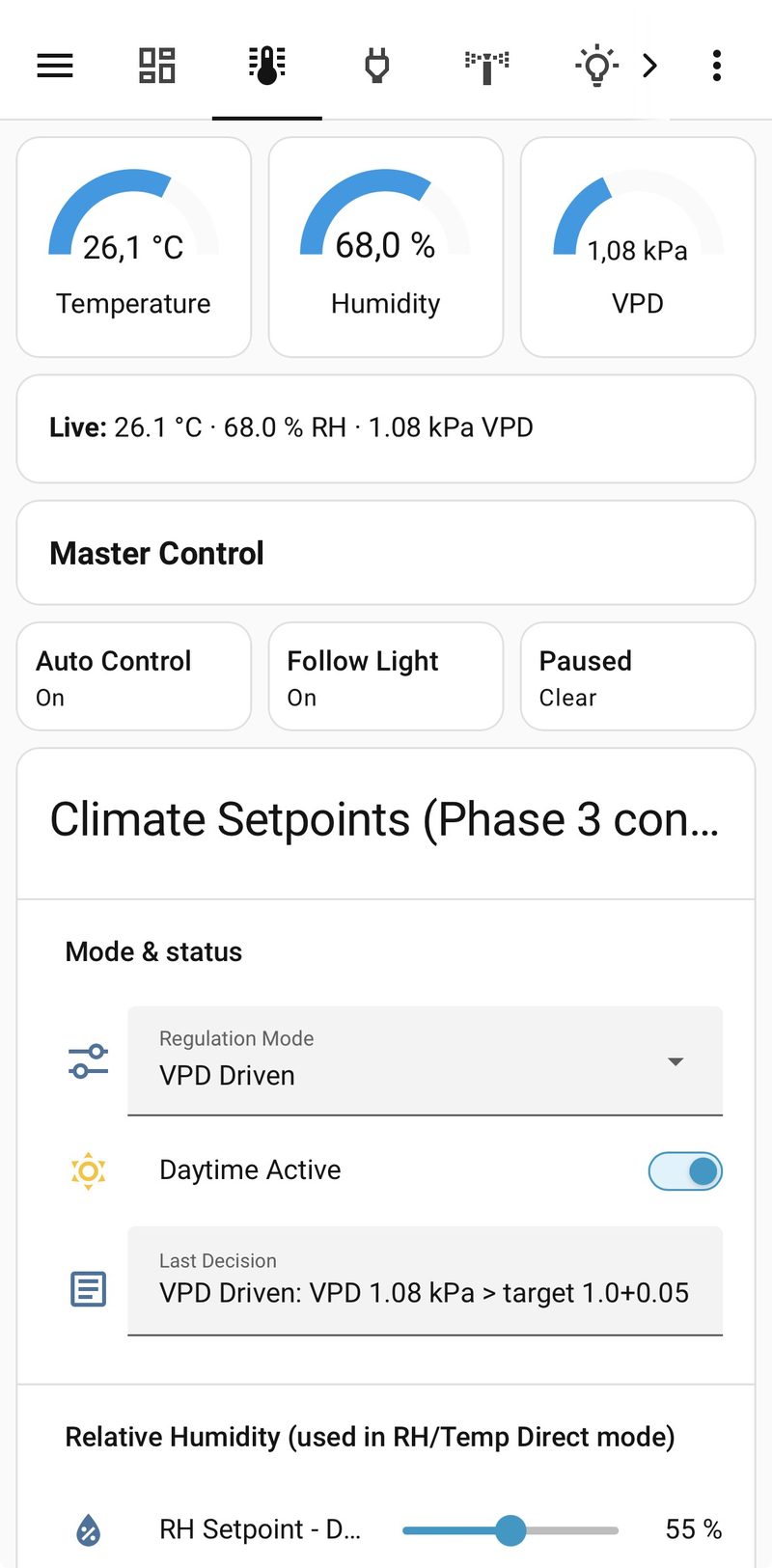
Climate & VPD
Temperature, humidity, and VPD control with live target values.
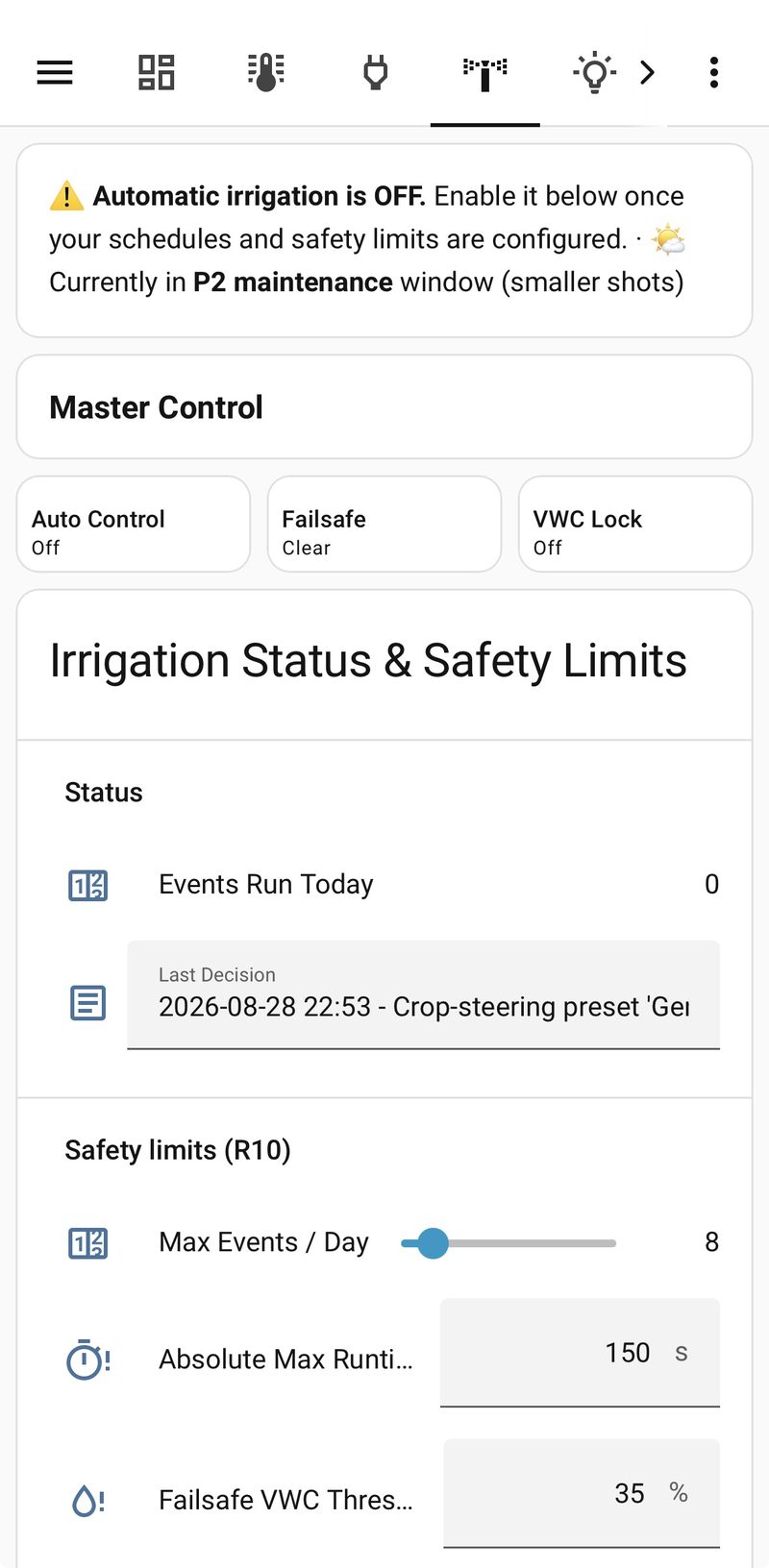
Irrigation
Substrate monitoring (VWC/EC) and crop-steering presets.
Light
Slot-based light control, including PPFD/wattage estimation.
Air & CO2
Exhaust, circulation, and optional CO2 dosing.
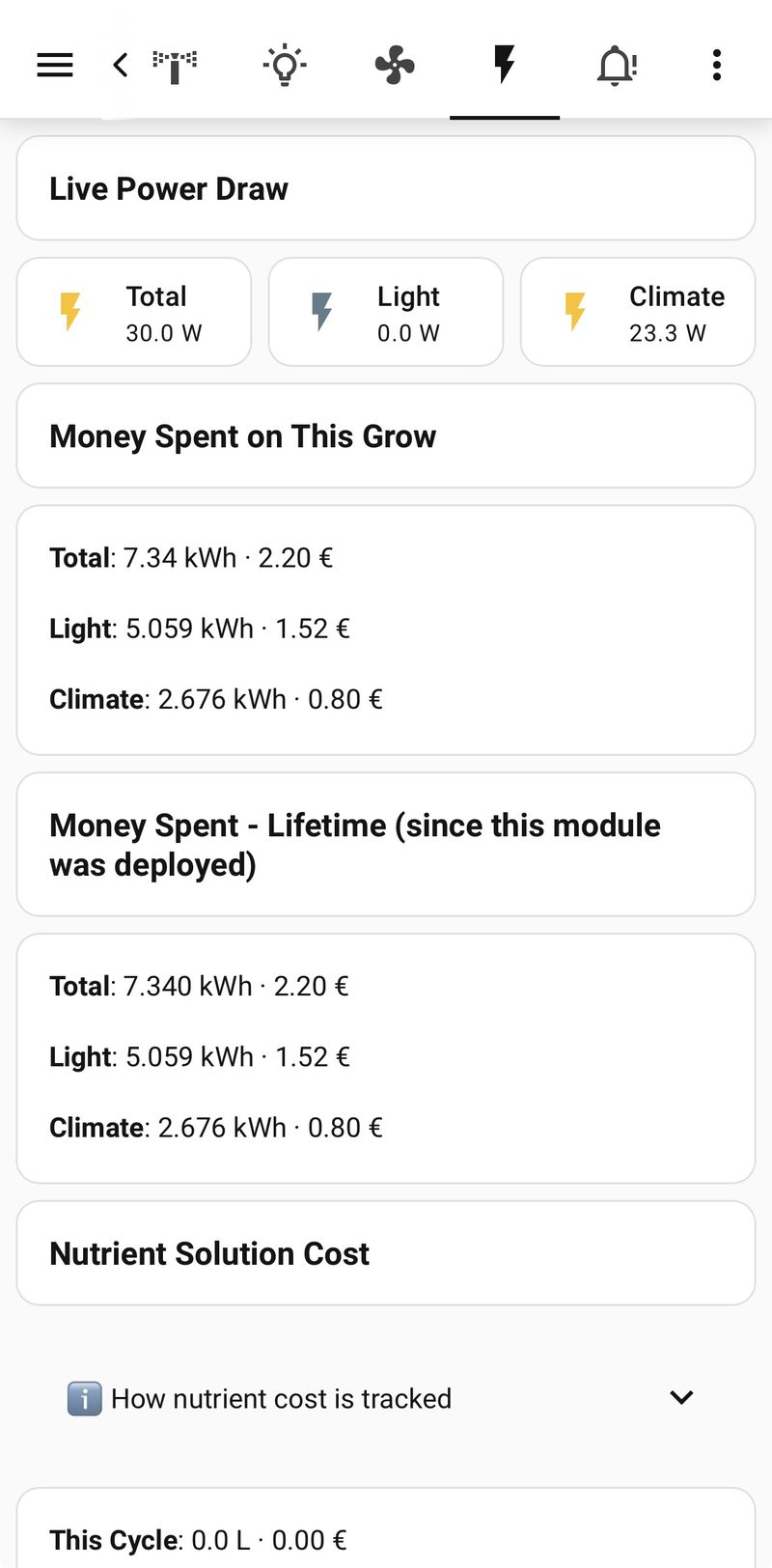
Energy
Per-module consumption and cost tracking, including nutrient solution.
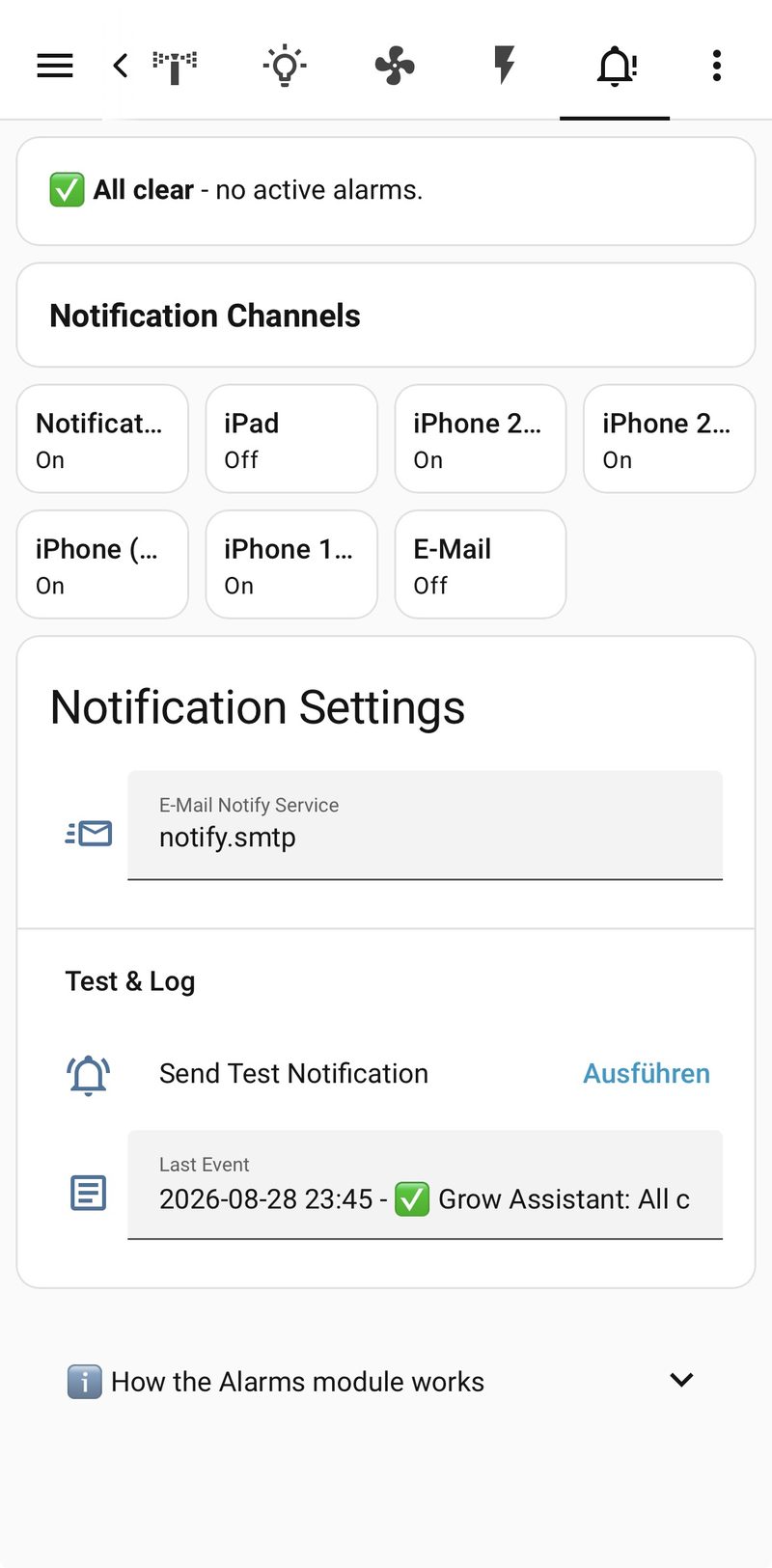
Alarms
Consolidated push, persistent, and optional email notifications.
Cameras
Live-monitoring tiles for up to 4 tent cameras, IP or USB.
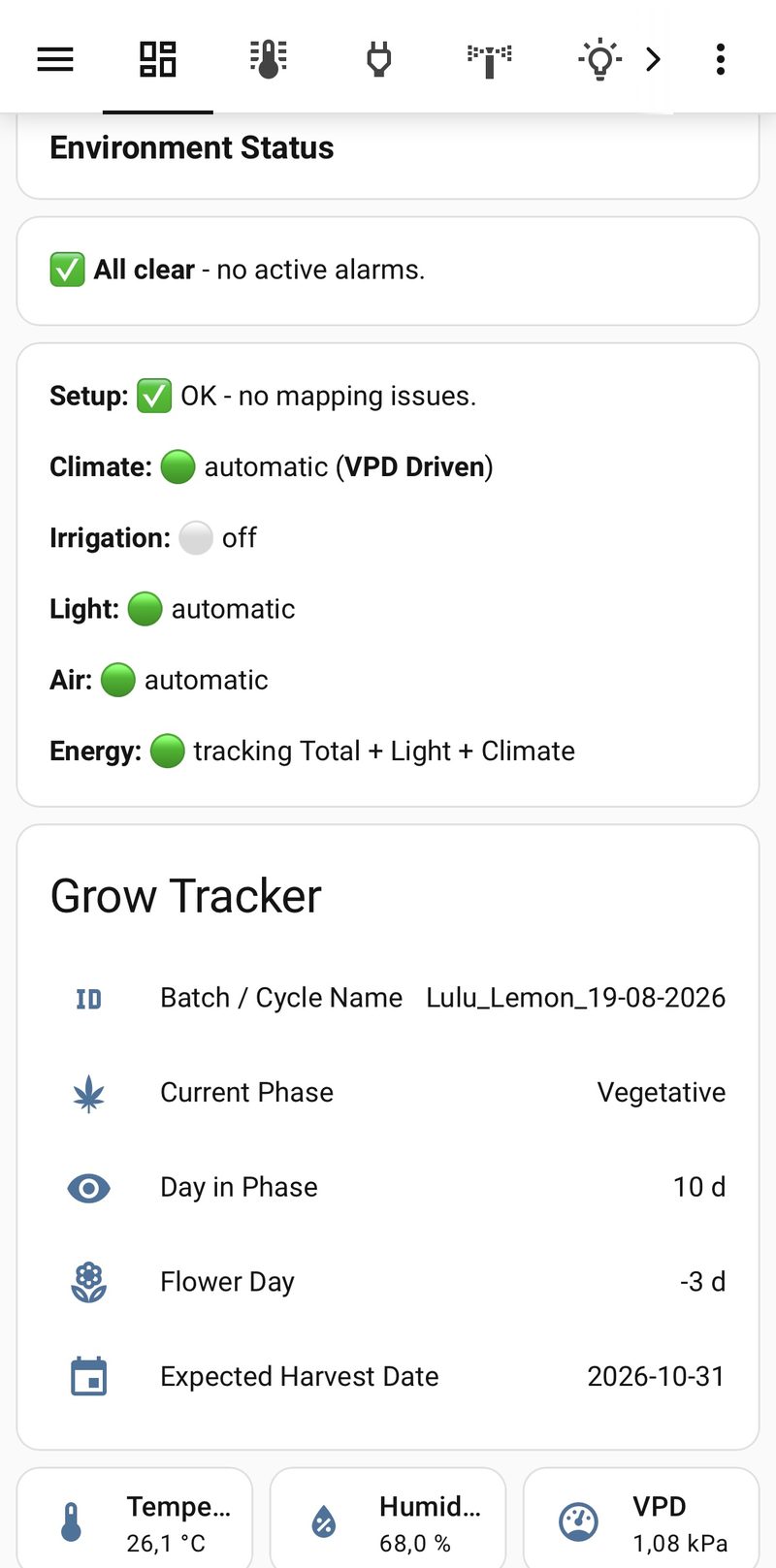
Grow Tracker
Cycle phase, day count, and expected harvest date, tracked automatically.
In practice
What GrowAssistant.io looks like in real operation.
Real dashboards from a running Home Assistant instance — no mockups.
Why open source?
Because a grow system should belong to you — not a vendor.
No cloud requirement, no subscription lock, no closed source code. Every decision, every automation is inspectable and changeable. The project lives on users building, testing, and sharing knowledge back — not on a company standing behind it.
Community
Contributing is the point of the project, not an afterthought.
Contribute code, improve docs, test configurations, or just submit ideas — every form of contribution shows up in the changelog.
How you can contributeDocumentation
Up and running in a few steps.
Installation guide, module reference, dashboard docs, and troubleshooting — searchable, versioned, and maintained straight from the repository.
Start installingRecent development
Progress, documented transparently.
- 29 August 2026 feature Module M13: tent camera dashboard
Live-monitoring tiles for up to 4 tent cameras (IP or USB), built entirely on native Home Assistant camera integrations — no credentials or stream URLs are ever stored inside GrowAssistant itself.
- 29 August 2026 chore Dashboard reorg: Light & Energy setup fields moved to Dashboard 1
One-time setup fields for Light (Max Wattage, PPFD calibration) and Energy (currency, price per kWh/liter) moved from Dashboard 2's live-control views to Dashboard 1's configuration view, matching the same config-here / live-values-there split already used for Grow Tracker and Cameras.
- 28 August 2026 fix Dashboard 2: readability & UI polish
A multi-part overhaul of the Control Panel dashboard: dynamically colored gauges on Climate & VPD, a redesign of every device/power tile, clearer enabled/error-state display, and consistently better readability on narrow tile grids (no more truncated text).
- 28 August 2026 feature Overview: combined climate/irrigation chart, light timeline, batch management
The dashboard Overview now shows Climate, VPD, Irrigation, and Light in one combined, range-switchable chart. New: live power display and light on/off history, plus save/reset for the batch ID.
Feedback
Missing a feature? Tell us.
Every idea is reviewed, scored, and answered honestly.
Submit an idea